
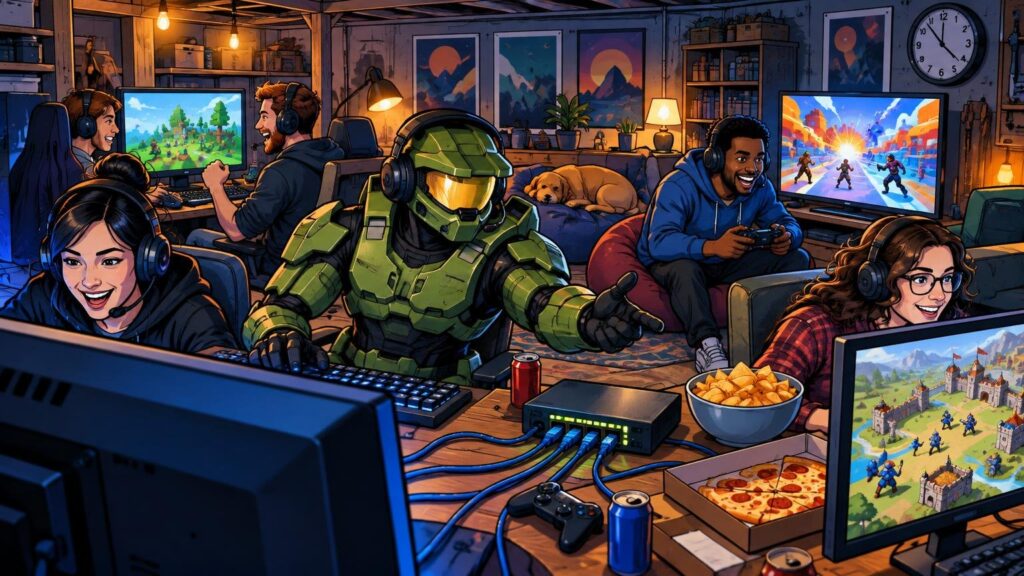
TLDR: Start with Duck Game for fast, low-commitment rounds, use Minecraft: Java Edition for a creative or survival-focused true LAN session, and schedule Age of Empires II: Definitive Edition when your group wants a longer strategy battle. Halo belongs in the rotation, but distinguish verified Xbox split-screen support in The Master Chief Collection from true LAN hosting, and test Halo Infinite’s current LAN flow before the event.
The best LAN party games are not simply the most popular multiplayer games. They are the ones your group can install, connect, understand, and start playing without sacrificing Friday night to firewall archaeology. A strong weekend lineup mixes one easy drop-in game with a competitive centerpiece and one deeper game that can occupy a few hours.
That distinction matters because “LAN party” now describes several different setups. A true LAN game communicates across a local network. A split-screen game puts several players on one machine. An online private match may place everyone in the same room while still depending on outside servers and internet access. All three can produce a brilliant social weekend, but they create very different technical risks.
Best LAN party games at a glance
| Game | Best use | Supported local format | Setup profile |
|---|---|---|---|
| Duck Game | Quick rounds and mixed-skill groups | LAN PvP and shared/split-screen PvP | Low commitment; excellent fallback |
| Minecraft: Java Edition | Co-op building, survival, and flexible pacing | Documented local-network world hosting | Easy once editions, versions, and discovery are aligned |
| Age of Empires II: Definitive Edition | Long strategy sessions | Documented LAN matches | More preparation and troubleshooting potential |
| Halo: The Master Chief Collection | Classic shooter rotation on Xbox | Confirmed Xbox split-screen; no PC split-screen | Straightforward on a prepared Xbox station |
| Halo Infinite | Modern Halo custom-game centerpiece | LAN servers were officially documented before release | Verify the current build and complete a test match first |
There is no universal winner because session length and hardware matter more than genre prestige. Duck Game is the strongest opening act. Minecraft is the most flexible shared project. Age of Empires II is the “clear the schedule” option. Halo supplies the arena-shooter energy, provided the host chooses a setup that has already survived a full rehearsal.
Duck Game is the low-friction party starter
Duck Game is the easiest recommendation for getting people engaged quickly. Its Steam listing identifies both LAN PvP and shared/split-screen PvP, giving the host two useful ways to assemble a match. The listing describes support for two to eight players and up to four spectators. That flexibility is valuable when the number of working PCs, controllers, and available seats does not line up neatly with the guest list.
Short rounds also make it forgiving. Late arrivals can watch, learn the joke, and rotate in without asking everyone else to abandon a two-hour campaign. More experienced players can chase mastery, while newcomers can still cause glorious chaos almost immediately.
Make Duck Game the first game launched and the last-resort backup. It can warm up the room while someone fixes a stubborn installation, and it gives eliminated players something to do if a longer tournament leaves gaps between matches.
Minecraft: Java Edition is the flexible true-LAN choice
Minecraft: Java Edition has a documented LAN workflow: connect the computers to the same local network, load a single-player world, open that world to LAN, and have the other players look for it on the Multiplayer screen. It is one of the clearest fits for a traditional local-network session because the host can turn an existing world into the evening’s shared playground.
Its real advantage is range. A group can collaborate on an absurd build, begin a fresh survival world, race through a challenge map, or split into teams with self-imposed objectives. Players who dislike intense competitive matches can contribute without becoming target practice, while the dedicated crowd can keep playing deep into the night.
The main trap is edition and version mismatch. Minecraft’s support materials distinguish Java and Bedrock multiplayer compatibility and recommend compatible editions and versions. They also recommend current releases to reduce connection problems. Decide on the edition before sending invitations, publish the required version, and ask everyone to launch it before arriving. “I own Minecraft” is not a complete compatibility check.
Age of Empires II is the weekend’s main event
Age of Empires II: Definitive Edition is ideal when the group wants a deliberate strategy session rather than a rapid party-game rotation. Diplomacy, resource pressure, scouting, and the occasional betrayal generate the kind of stories people will still be arguing about over breakfast.
It also deserves a dedicated time slot. Newer players need room to learn the economy and unit relationships, while experienced players may need team balancing or agreed restrictions to avoid turning the opening minutes into a demonstration. Treat it as the scheduled feature match rather than something to launch while half the room is ordering food.
Official support maintains specific troubleshooting guidance for LAN matches. Its firewall information lists TCP port 8888, UDP port 9999, and TCP/UDP ports 3478 and 5222. Record that support page before the event, but do not begin changing router or firewall rules casually. First confirm that every installation launches, the game versions match, and the intended computers can join a short test lobby.
How Halo fits into a modern LAN party
Halo is a natural centerpiece for a room full of players, but the available evidence supports two different recommendations rather than one blanket claim.
The Master Chief Collection is the safer Xbox local option
Halo Support confirms that The Master Chief Collection is available on Xbox and Windows. Its quick-start guide says Xbox supports local split-screen, including up to four simultaneous local players, while PC does not support split-screen. That makes an Xbox station a practical way to get several people into Halo without requiring one computer per player.
This is local multiplayer, not proof of a current true-LAN workflow. Build the plan around what is confirmed: prepare the Xbox, controllers, profiles, selected games, and custom settings in advance. If the group mainly wants campaign shooting or one-screen teamwork, the broader list of couch co-op and split-screen games for Halo fans offers alternatives that may fit limited hardware better.
For a competitive group, rotate teams through short custom matches rather than leaving losing players on the sofa for an hour. Objective modes, unusual weapon settings, and community creations can level the social playing field. That playful adaptability is a major reason Halo custom games still matter.
Test Halo Infinite instead of assuming
An official April 2021 development update stated that players on the same LAN, including PC and Xbox players, could join a local Halo Infinite server. It also described launching LAN servers through an in-game menu. That is useful historical documentation, but it predates the retail release and should not be treated as a guaranteed current procedure.
If Halo Infinite is your headline event, install the current build on every intended system and complete a representative PC-and-Xbox test before guests arrive. Confirm lobby discovery, map loading, controller assignments, and match completion. For groups using one Xbox rather than multiple networked systems, check the separate guide to what works locally in Halo Infinite when planning the station.
Why a LAN lobby may not appear
Being connected to the same Wi-Fi name does not guarantee that devices can discover one another. Windows 11 initially treats new networks as Public by default, while the Private profile makes a computer discoverable to other devices on that network. Microsoft documents the relevant profile controls in its essential Windows network settings guide. Only use the Private profile on a network you control and trust.
A firewall can also allow or restrict traffic according to ports, IP addresses, or program paths. If a game prompts for network permission, check that the correct executable is permitted on the intended trusted network rather than switching the firewall off. If discovery still fails, look for guest Wi-Fi, wireless client isolation, mismatched game versions, or a host connected through a different network segment.
- Confirm that every device is on the intended trusted local network, not a guest network.
- Match the game, edition, version, and required add-ons on every machine.
- Launch the game once and complete any account login or first-run setup.
- Check the Windows network profile and the game’s firewall permissions.
- Create a test lobby and have every intended platform join it.
- Play through enough of a match to expose loading, controller, or stability problems.
- Write down the working host process instead of relying on memory during the event.
Build the weekend around setup friction
The most resilient schedule uses three layers. Begin with a game that launches quickly, move into the featured shooter or competitive event, and reserve a longer co-op or strategy game for the players who want to settle in. That prevents one broken lobby from flattening the whole weekend.
- Opening rotation: Duck Game or another already-tested local party game.
- Competitive centerpiece: Halo custom games with teams and modes prepared in advance.
- Long session: Minecraft for collaborative play or Age of Empires II for structured strategy.
- Limited-hardware station: Xbox split-screen in MCC or another verified couch multiplayer game.
- Emergency fallback: one game that has already worked without depending on every PC.
Preinstall everything. Apply updates early enough to recover from problems, then disable surprise automatic downloads during the event where the platform permits it. Verify free storage, display cables, power strips, controller batteries, headsets, and spare Ethernet cables. Check current store, account, subscription, and online-service requirements for every selected platform, because owning the same game name does not necessarily mean every guest has the same access.
Finally, assign one person as the host rather than letting eight people troubleshoot at once. That person should know the chosen versions, lobby procedure, network name, team format, and fallback plan. A printed or shared schedule also helps guests install the right titles before they arrive.
Common LAN party questions
What counts as a true LAN game?
A true LAN game can host or discover multiplayer sessions through the local network. Split-screen uses one system and display, while an online private match may still depend on remote servers. They can all belong at the same in-person event, but label them accurately so the host understands the internet and hardware requirements.
Can Java Edition and Bedrock Edition players join the same Minecraft LAN world?
Plan on matching the same compatible Minecraft edition and version across the group. Official support treats Java and Bedrock compatibility separately, so do not assume that different editions will discover or join the same local world.
Is Wi-Fi good enough for a LAN party?
It can be, but signal quality is only part of the equation. Device isolation, network profiles, firewalls, and game-specific discovery can stop a lobby from appearing even when every computer has internet access. Test the exact network and player count beforehand, and use wired connections where they reduce uncertainty for the main stations.
Choose a rotation, not a single perfect game
For most groups, the best weekend plan is Duck Game for immediate chaos, Halo for the competitive centerpiece, and either Minecraft or Age of Empires II for the long session. The exact ranking matters less than having different levels of commitment and a fallback that can launch on proven hardware.
Send the game and version list several days ahead, run a complete test match, and freeze the important setup before anyone arrives. A LAN party should be remembered for impossible comebacks, friendly betrayals, and someone winning with a ridiculous strategy—not for an evening spent staring at a lobby that never appears.
References
- Duck Game on Steam
- Mainkan Minecraft: Java Edition di Jaringan Area Lokal (LAN) | Minecraft Help
- Requirements to Play Minecraft Multiplayer Games | Minecraft Help
- I'm having trouble connecting to a LAN match with my friends – Age of Empires Support
- Quick Start Guide for Halo: The Master Chief Collection (MCC) – Halo Support
- Inside Infinite – April 2021 | Halo – Official Site (en)
- Essential Network Settings and Tasks in Windows | Microsoft Support
- Firewall and network protection in the Windows Security app | Microsoft Support